Codex32 & Shamir Secret Sharing
From the Codex32 booklet, illustrated by Micaela Paez (MIT License).
New in firmware versions Mk4/Mk5: v5.6.3, Q: v1.5.3Q
What is Codex32?#
Codex32 is a format for encoding wallet secrets, with built-in error detection and support for Shamir Secret Sharing. Defined by BIP-93, it lets you split a secret into several shares and choose how many are needed to recover it.
COLDCARD® can generate and import Codex32 secrets, split a secret into shares, recover it from those shares, and derive additional shares from an existing set.
For example, a 2-of-5 split produces five shares, and any two can recover the secret. You can lose three shares and still recover. Someone with only one share learns nothing about the original secret. The number required for recovery is called the threshold.
COLDCARD can make between 2 and 9 shares, with a threshold from 2 up to the total number of shares. Choosing a threshold equal to the total leaves no room for a lost share. Unlike Seed XOR, which requires all its parts, Shamir sharing lets you choose this redundancy.
Splitting a wallet into shares does not change its keys or move any Bitcoin. Shamir recovery combines shares to restore the wallet’s secret. With multisig, the keys remain separate, and spending requires multiple signatures.
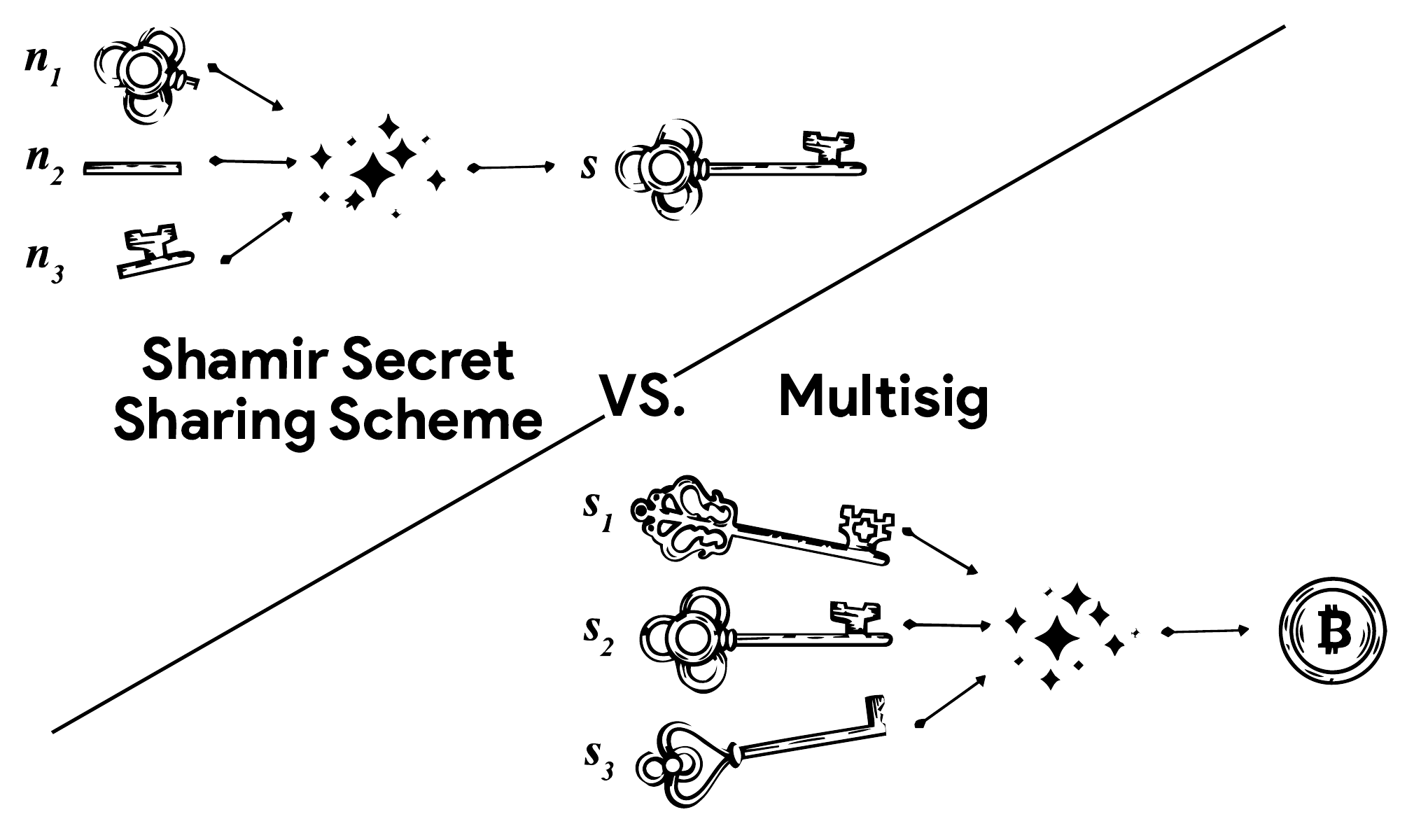
From the Codex32 booklet, page 1, illustrated by M. Lutfi’ As’ad (MIT License).
Shamir shares restore the wallet secret, but not COLDCARD settings or multisig configuration. An encrypted backup preserves the secret and settings in a .7z file. For multisig, also retain the wallet descriptor or configuration file unless it is included in that backup.
Examples Are Public
All secrets and shares shown on this page, including the screenshots, are examples. Never use them to hold Bitcoin.
Secrets and Shares#
Standard Codex32 strings begin with MS1 and encode a BIP-32 master seed or a share of it. The share index tells you which:
- Index
Sis the complete secret, also called the secret share. It can be imported as a wallet, which can then be split into a set of shares. - Any other index identifies an individual share, such as
A,C, orD. A threshold number of matching shares is needed to recover the complete secret. An individual share cannot be activated as a wallet, saved to Seed Vault, or split.
Shamir Split splits an MS1 secret with index S into MS1 shares. Shamir Recover combines a threshold number of matching shares to reconstruct the secret with index S. That recovered secret can be split again, creating a new set.
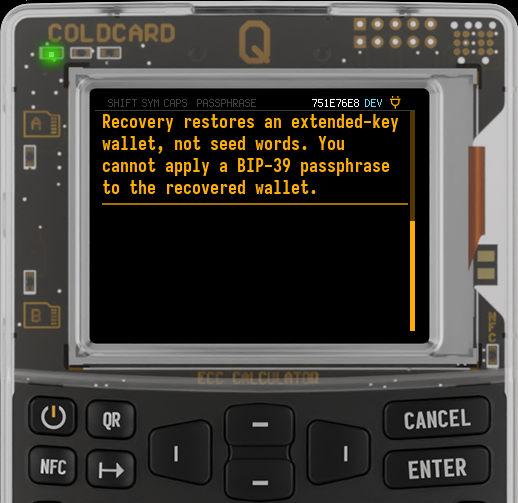
An MS1 secret contains the BIP-32 master seed directly. It does not use BIP-39 seed words, so you cannot apply a BIP-39 passphrase to it.
Create a Codex32 Wallet#
Generating a Codex32 wallet creates a new MS1 secret with index S. Once active, it can be split into MS1 shares. To split the secret of a wallet you already use, go to Split the Active Wallet.
Steps to Create a Codex32 Wallet
-
On a COLDCARD with a PIN set but no wallet, choose
Codex32 > Generate.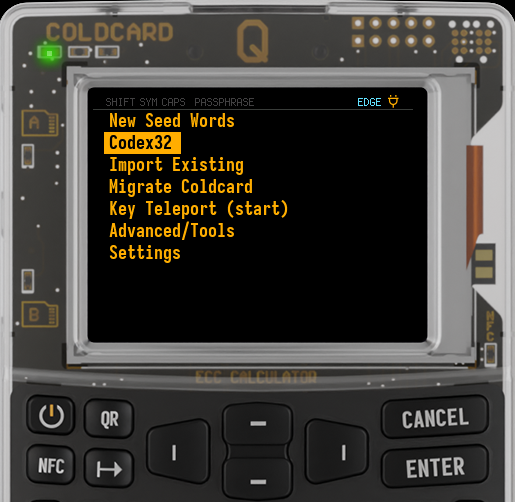
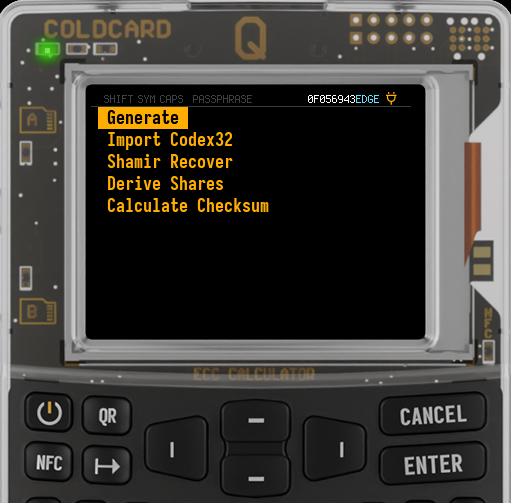
To create a Temporary Seed while keeping your Master Seed, use
Advanced/Tools > Temporary Seed > Codex32 > Generate. -
Choose
128-bitor256-bit.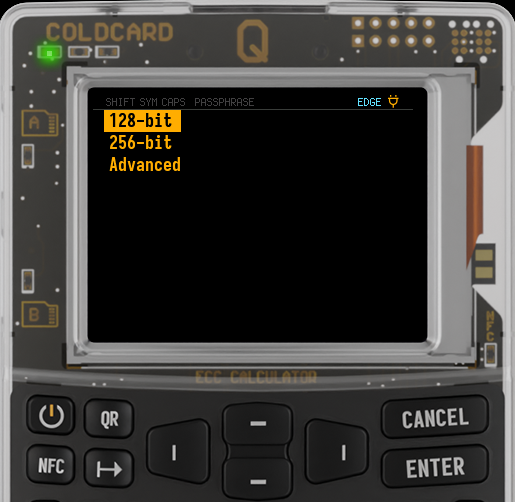
-
Choose
Mash Keys,Dice Rolls, orCoin Flips, and complete the required input. COLDCARD combines your input with randomness from its TRNG and both Secure Elements, using the same device and user entropy workflow as seed-word generation. -
Write down the entire secret, including its prefix and checksum. COLDCARD displays it in numbered groups of four characters. Follow the group numbers in order; on Q, read down each column before moving to the next.
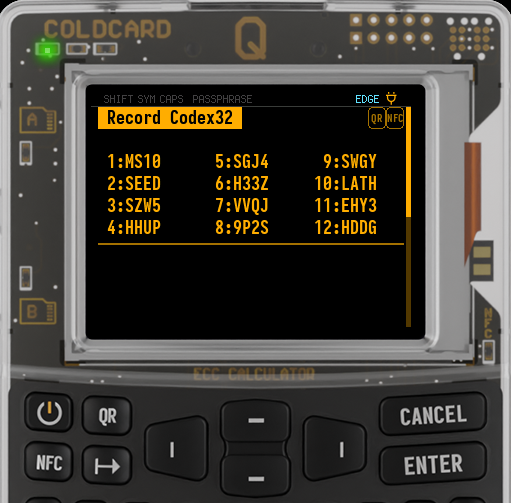
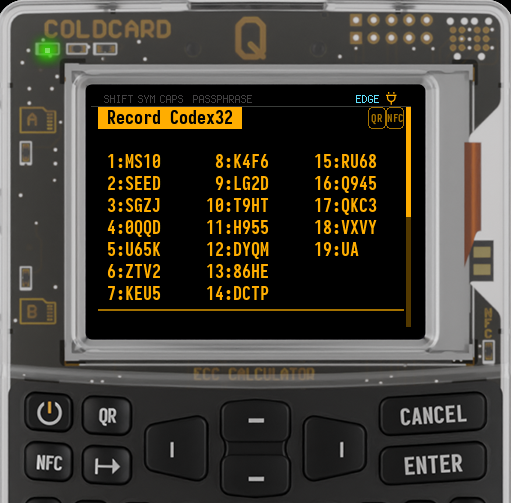
- Newly generated secrets use the fixed four-character ID
SEED, indexS, and threshold0. - Press 1 on Mk4/Mk5 or QR on Q to display the secret as a QR code.
- If NFC is enabled, press 3 on Mk4/Mk5 or NFC on Q to share it. This shares the secret in plaintext.
- Newly generated secrets use the fixed four-character ID
-
Press ✔/ENTER to start the verification quiz. For each numbered group, choose the matching text from your recorded copy using 1, 2, or 3. Press ✔/ENTER during the quiz to see all the groups again.
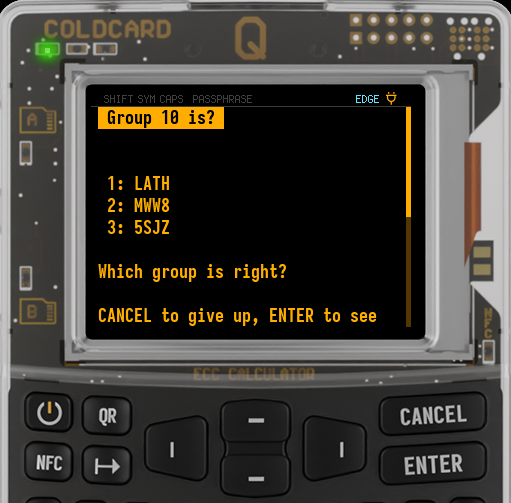
-
After the quiz, the new wallet becomes active.
For generation from dice alone, choose Generate > Advanced > 128-bit Dice Roll or 256-bit Dice Roll. These require at least 50 or 99 rolls, respectively. Roll a real six-sided die for every entry. This workflow uses only the dice for the seed, without device randomness; the ID is still SEED. Read the dice-only precautions before using it.
To see an active MS1 secret again, go to Advanced/Tools > Danger Zone > Seed Functions > View Secret. This reproduces a newly generated secret exactly. Imported or recovered secrets may be displayed with a different ID, threshold, or padding, but restore the same wallet.
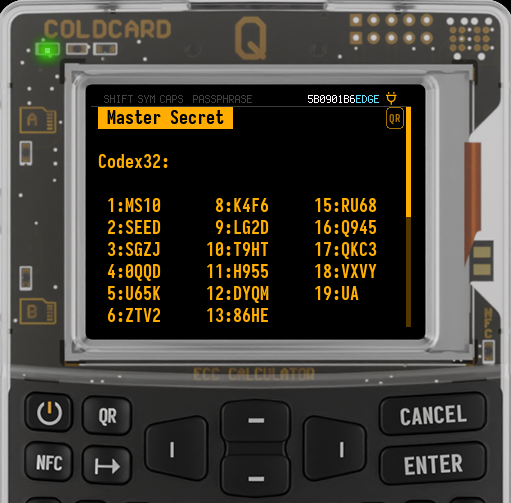
For independent generation verification, see the Codex32 firmware documentation.
Import Codex32#
Use Import Codex32 to activate a complete secret with index S.
-
On a COLDCARD with a PIN set but no wallet, choose
Codex32 > Import Codex32.To import as a Temporary Seed while keeping your Master Seed, use
Advanced/Tools > Temporary Seed > Codex32 > Import Codex32. -
Choose MicroSD, Virtual Disk, NFC, QR scanning (Q only), or manual entry from the available import options. For text files and manual entry, follow the format requirements.
Importing a complete secret (index S) activates its wallet directly. To combine multiple shares instead, use Shamir Recover.
Split the Active Wallet#
Activate the wallet you want to split. Its secret type determines the share format. An individual share cannot be activated or split.
Before splitting, record the active wallet's fingerprint from Advanced/Tools > View Identity and a known receive address from Address Explorer. Keep the network, address type, and derivation path with the address so you can test recovery.
Steps to Split a Wallet into Shamir Shares
-
Go to
Advanced/Tools > Danger Zone > Seed Functions > Shamir Split. -
Read the
Shamir Splitintroduction. If a Temporary Seed is active, the screen identifies it. Check that this is the wallet you intend to split, then press ✔/ENTER.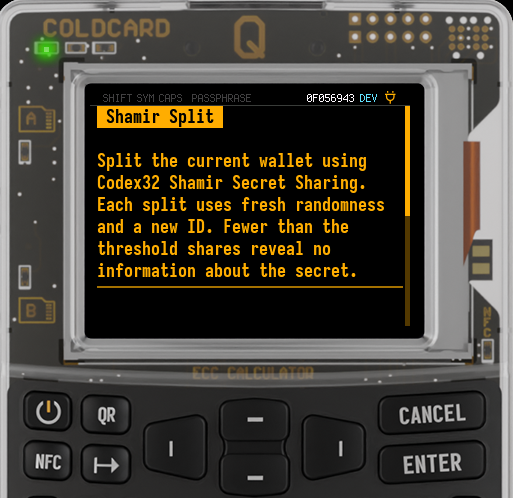
-
Enter the total number of shares, from 2 to 9. Then enter the threshold, from 2 up to that total. Press ✔/ENTER after each choice.
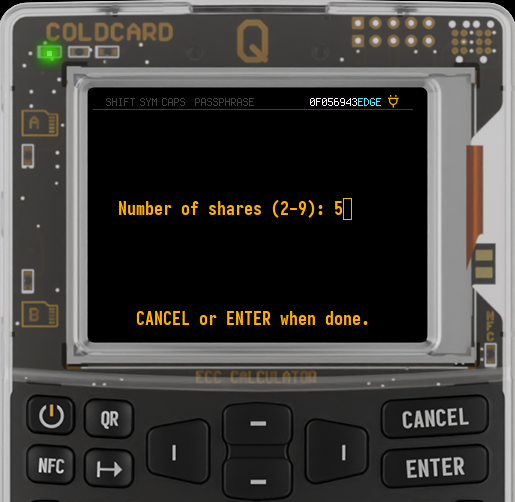
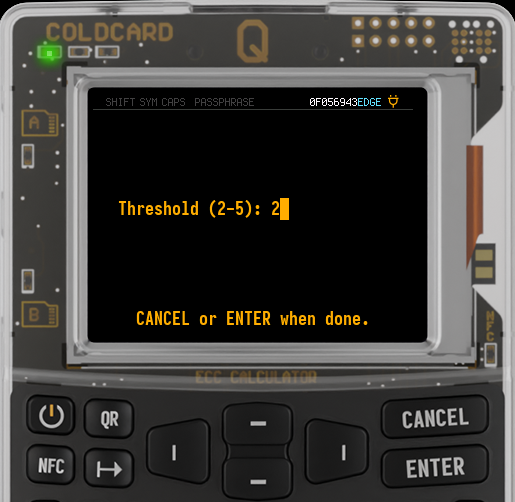
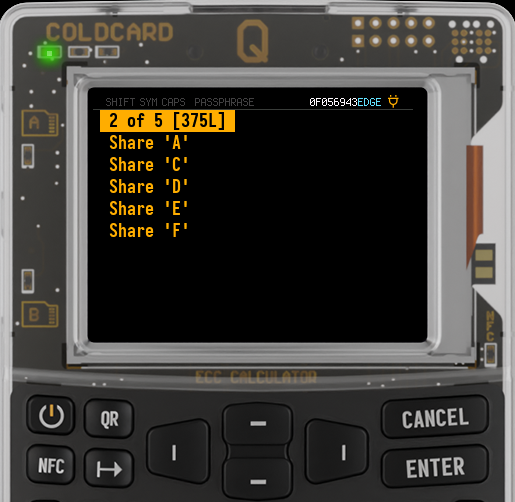
These choices make a 2-of-5 split. Any two of the five shares will recover the secret.
-
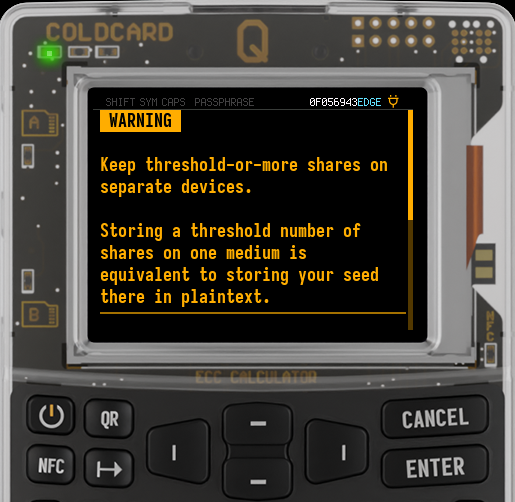
Read the storage warning and press ✔/ENTER. COLDCARD then shows the threshold, total, and ID at the top of a menu containing each share.
-
Open each share and record its complete string in group-number order. The share index identifies it within the set: the first shares are
A,C,D,E, andF. The alphabet omitsB,I, andOto avoid confusion.You can write the share down, or use the on-screen options to export it by QR, NFC, MicroSD, or Virtual Disk, as available. File exports are named
<id>_share_<index>.txtand include a separate signature file.Exports are plaintext. The signature file does not encrypt a share. Keep fewer than the threshold number of shares on any one card, device, or other storage medium.
-
Compare every recorded share with its display before leaving the menu. When you exit, COLDCARD asks you to confirm that you have exported all shares.
Record Your Shares Before Leaving
COLDCARD does not retain the generated share set. Record and check every share you intend to keep before leaving; splitting has no verification quiz. If you retain a threshold number of shares, Derive Shares can reproduce missing shares from that set. Running Shamir Split again creates a fresh set, so do not mix shares from different splits.
Splitting does not invalidate your complete Codex32 secret. Anyone with that original secret can still recover the wallet without the shares. Existing encrypted .7z backups also remain valid.
Recover from Shares#
Use Shamir Recover to combine shares from one split. You only need the threshold number, and their order does not matter. MS1 shares recover the original BIP-32 master seed.
Steps to Recover a Wallet from Shamir Shares
-
On a COLDCARD with a PIN but no wallet, choose
Codex32 > Shamir Recover.To recover temporarily while preserving your Master Seed, use
Advanced/Tools > Temporary Seed > Codex32 > Shamir Recover. Confirm the notice that the recovered wallet will be temporary. -
Read the introduction and press ✔/ENTER. All shares must have the same prefix, ID, threshold, and length.
-
Import the first share using the on-screen options:
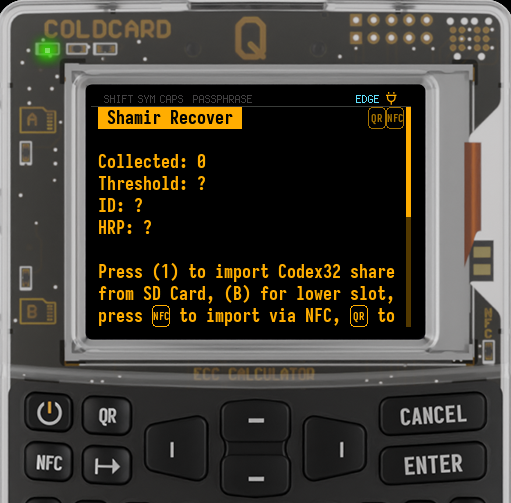
- Press 1 for a MicroSD card; on Q, B selects the lower slot.
- Press 2 for Virtual Disk, if enabled.
- Press 3 on Mk4/Mk5 or NFC on Q for NFC, if enabled.
- Press QR on Q to scan a share.
- Press 0 to enter a share manually.
For text files and manual entry, follow the format requirements below. You can use a different import method for each share.
-
The screen updates
Collected,Threshold,ID, andHRP(the prefix). It also lists the indices already collected, including shares from a resumed collection. Continue importing distinct shares from the same split. COLDCARD rejects duplicate indices and shares whose set details do not match.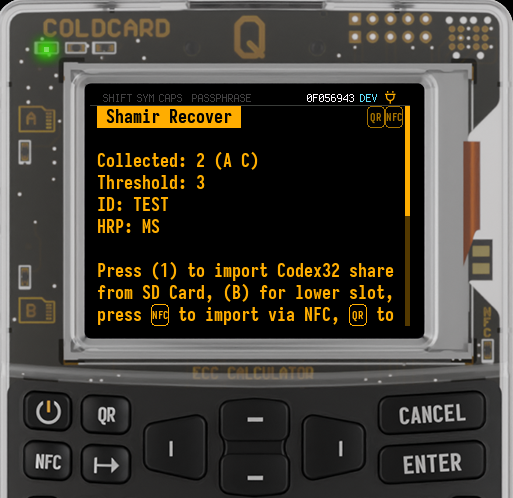
This example shows two shares collected from a set with a threshold of three. One more distinct share from that set will start recovery.
-
Recovery starts automatically as soon as the threshold is reached. The reconstructed secret becomes the Master Seed or a Temporary Seed, depending on where you started. Follow any temporary-wallet confirmation or Seed Vault prompt shown on-screen.
Recovery reconstructs the original wallet secret: BIP-32 master-seed bytes for MS1, or the wallet material encoded by CW1 or CX1. COLDCARD stores and uses that secret; the shares are no longer needed to derive addresses or sign transactions. The original share-set ID, threshold, and padding are not retained with the wallet. To extend the original set, use Derive Shares with a threshold number of its shares.
Save and Resume Share Collection#
You can save an unfinished collection in Shamir Recover or Derive Shares when collecting shares from separate locations. This does not use Seed Vault.
- Import fewer than the threshold number of shares, then press ✕/CANCEL at the collection screen.
-
At
Discard collected shares?, press 1 forSave & Exit.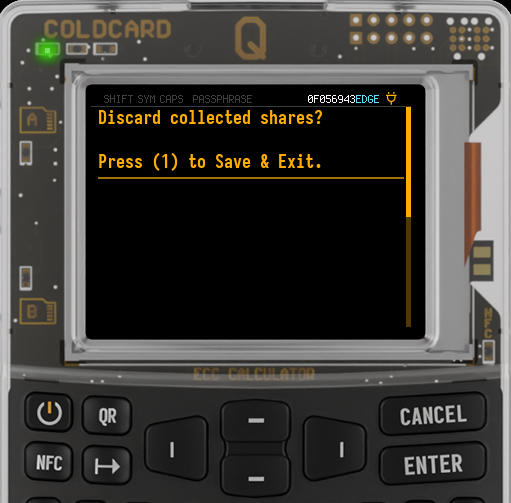
-
Reopen
Shamir RecoverorDerive Sharesto resume the saved collection, even after a reboot. Import the remaining shares when ready.
Shares are saved only when you choose Save & Exit. To discard the collection, press ✔/ENTER at the discard prompt instead. Reaching the threshold also clears the saved collection before recovery or derivation proceeds.
Saving Shares Without a Master Seed
Saved shares are protected by encrypted settings when a Master Seed is configured. Without a Master Seed, they have no encryption protection, even if a Temporary Seed is active. An unrelated Master Seed can protect the saved collection; it does not need to be the wallet you are recovering.
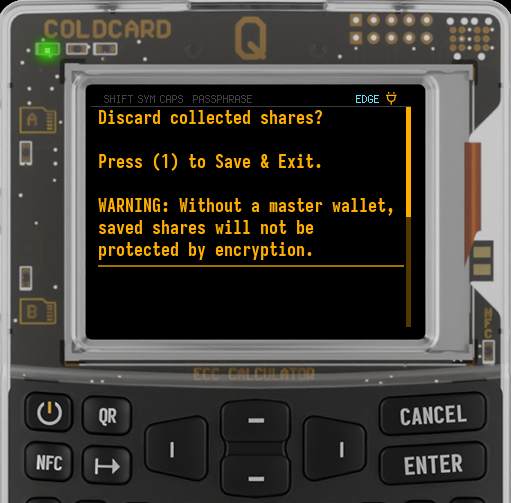
Keep fewer than the threshold on any one COLDCARD. For example, save at most two shares from a 3-of-5 split, then import the final share at the recovery location. Saved shares stay on this device: encrypted .7z backups and full Key Teleport transfers exclude them, and restoring a backup does not import them.
Test Recovery#
Valid checksums and matching share details do not prove that shares belong to the original set. Modified shares can recover a different wallet. Test the copies you intend to store before relying on them:
- Keep the original wallet and its existing backup intact. Recover as a Temporary Seed, or use a separate COLDCARD with Codex32 support.
- Import a threshold number of shares from your recorded copies.
- Check that the recovered wallet has the original fingerprint and reproduces the known receive address, using the same network, address type, derivation path, and wallet configuration. A matching fingerprint alone is not sufficient.
- Repeat with other combinations until every share you intend to keep has participated in a successful recovery. You do not need to test every possible combination.
Keep the shares in separate locations, with fewer than the threshold at any one location. If fewer than the threshold survive, that share set cannot recover the wallet.
Derive Additional Shares#
Use Derive Shares to replace a lost share or add shares to an existing set. You need exactly the threshold number of shares from that set.
For example, with a 2-of-3 set containing A, C, and D, you can use A and C to reproduce a lost D or create an additional share E. The threshold stays at two, and the derived shares work with the original shares.
Steps to Derive Additional Shares
-
On a COLDCARD with a PIN but no wallet, choose
Codex32 > Derive Shares.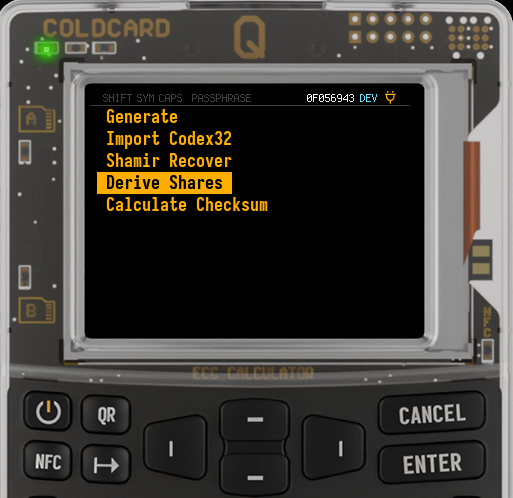
If a wallet is already present, use
Advanced/Tools > Temporary Seed > Codex32 > Derive Shares. -
Read and confirm the warning, then collect a threshold number of matching shares using the same import options as Shamir Recover. An unfinished collection can be saved with Save & Exit.
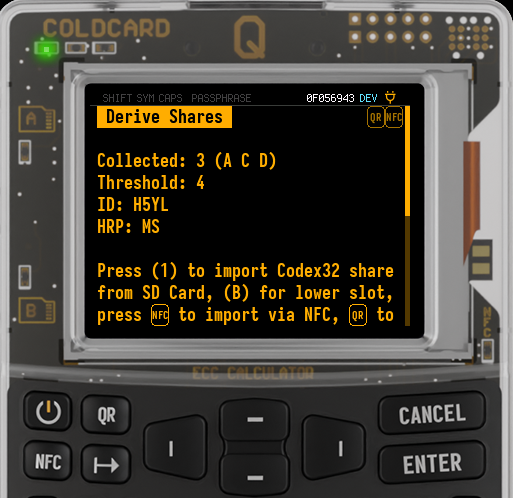
This example uses a threshold of four. Three shares have been collected; one more distinct share from the same set is needed to continue.
-
Select a share index to display and export it. Available output indices are
A,C,D,E,F,G,H,J, andK, excluding the shares you supplied.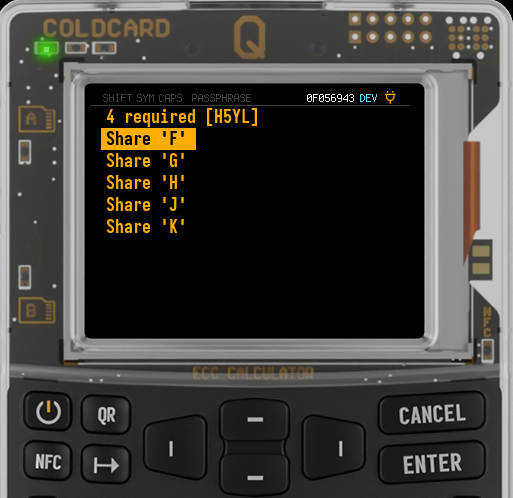
-
Record each desired share before exiting. You can select several outputs during one session.
Derived shares retain the original prefix, ID, threshold, and length. Deriving the same index again from any threshold number of shares in that set produces the same share.
Your active wallet remains unchanged. Exiting the output menu discards the collected shares. Exports are plaintext, so keep fewer than the threshold on any one storage medium. Derivation does not authenticate the input shares; test recovery before relying on the derived shares.
The Device Receives Enough Shares to Recover the Wallet
Although this workflow only exports individual shares, the COLDCARD receives enough information to reconstruct the complete secret. Use a trusted device, just as you would for recovery.
Deriving additional shares does not invalidate lost or compromised shares. Recovering the secret and using Shamir Split creates a new set instead; shares from that new split cannot be mixed with the original set.
Recording and Import Format#
COLDCARD displays Codex32 in uppercase. Entirely lowercase strings are also accepted, but do not mix uppercase and lowercase within one string. Spaces between groups are allowed during import. Do not enter the displayed group numbers or colons.
Here is a complete public test secret, separated to show its parts:
MS1 0 TEST S XXXXXXXXXXXXXXXXXXXXXXXXXX 4NZVCA9CMCZLW
| Part | Meaning |
|---|---|
MS1 |
The standard Codex32 prefix and separator. |
0 |
The threshold. 0 marks an unsplit secret; 2 through 9 specify how many shares are needed. |
TEST |
The four-character ID shared by a set. |
S |
The index. S means the complete secret; other indices identify shares. |
XXXXXXXXXXXXXXXXXXXXXXXXXX |
The encoded secret data. |
4NZVCA9CMCZLW |
The checksum. Copy it too. |
For MicroSD or Virtual Disk import, use a .txt file between 48 and 512 bytes. Put one complete secret or share on a single line, without a label such as Share A:. Spaces are allowed, but do not wrap the string across lines. Only one secret or share is imported from each file, so use a separate file for each share.
COLDCARD supports these MS1 lengths, excluding spaces:
| Format | Secret data | Total characters | Displayed groups |
|---|---|---|---|
MS1 |
128 bits | 48 | 12 |
MS1 |
256 bits | 74 | 19 |
MS1 |
512 bits | 127 | 32 |
New Codex32 wallet generation offers 128-bit or 256-bit MS1 secrets. A 512-bit MS1 secret can be imported or recovered from shares, then split just like the shorter secrets.
Calculate a Checksum#
Use Calculate Checksum to complete a secret or share when you have its header and payload without a checksum. You can also enter a complete, valid string to display its existing checksum. Calculating alone leaves your active wallet unchanged; a complete secret with index S can then be activated from the result screen.
Steps to Calculate a Checksum
- On a COLDCARD with a PIN but no wallet, choose
Codex32 > Calculate Checksum. With a wallet present, useAdvanced/Tools > Temporary Seed > Codex32 > Calculate Checksum. On Mk4/Mk5, the menu item is shortened toCalc Checksum. -
Read the notice and choose MicroSD, Virtual Disk, NFC, QR scanning (Q only), or manual entry from the available import options. To calculate a new checksum, supply the prefix, threshold, four-character ID, share index, and payload, without the checksum. For manual entry, press 0 to open
Enter Codex32. Spaces between groups are allowed; imported text must be entirely uppercase or entirely lowercase. Q converts lowercase keystrokes to uppercase during manual entry.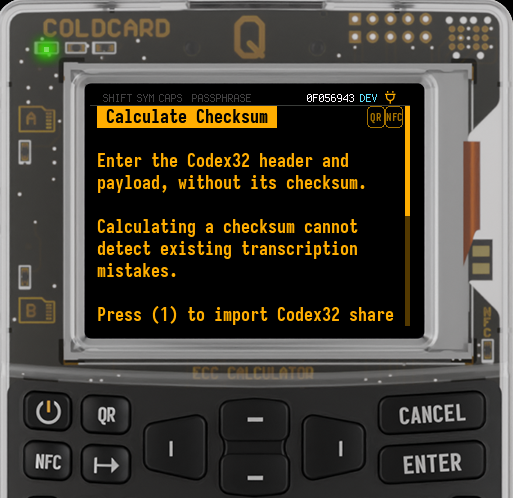
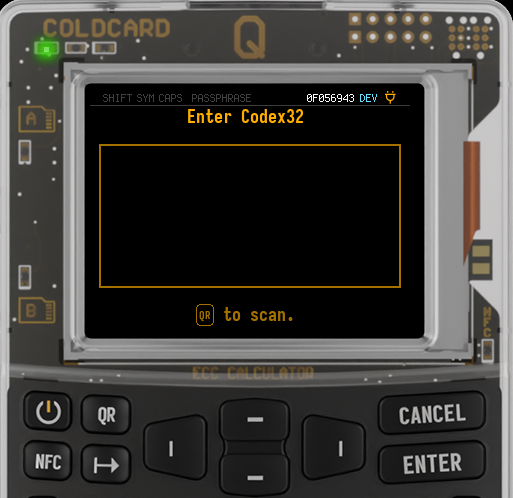
For MicroSD or Virtual Disk, use a
.txtfile between 35 and 512 bytes, with one string on a single line and no label. The lower minimum allows input without a checksum. Ordinary wallet import and Shamir recovery still require complete strings, including their checksums. -
Complete the import, or press ✔/ENTER after manual entry. COLDCARD displays the checksum and the completed Codex32 string, preserving all payload and padding bits. A complete, valid input string is returned unchanged. Record the result or use the on-screen QR, NFC, MicroSD, or Virtual Disk export options, as available. Exports are plaintext.
-
To activate a result with index
S, press 0. From the mainCodex32menu, confirm that it will become the Master Seed. FromTemporary Seed > Codex32, it becomes a Temporary Seed, even if no Master Seed is configured. Individual shares do not offer activation; useShamir Recoverto combine them.
Calculation Does Not Check Your Copy
Calculating a checksum cannot detect existing transcription mistakes. It computes a checksum for exactly the header and payload you entered; it does not repair or verify the original secret or share.
Troubleshooting#
- File not found: Check the
.txtextension, file size, and single-line format above. Remove labels before the string. - Checksum or mixed-case error: Compare the complete string with your original copy. COLDCARD detects errors but does not automatically correct them.
- Unsupported length: Some lengths allowed by BIP-93 are not supported on COLDCARD. Use a length supported for your prefix: see the
MS1table above, CW1 lengths, or CX1 length. - Share set does not match: Use shares from the same split. Their prefix, ID, threshold, and length must match.
- Share index already collected: Import a different share. A second copy of the same share does not count toward the threshold.
- Secret share
S: UseImport Codex32; you already have the complete secret. - Need secret share
S: An individual share cannot be imported as a wallet. UseShamir Recoverto combine shares first.
Firmware Compatibility#
Importing or recovering an MS1 secret stores its master-seed bytes in the ordinary COLDCARD format. The original ID, threshold, and padding are not retained.
Encrypted .7z backups, Seed Vault wallet entries, and Key Teleport preserve the underlying wallet, not its original share-set identity. Older firmware supports this wallet storage format. Importing Codex32 strings or recovering from shares requires firmware with Codex32 support.
For an active MS1 wallet, View Secret displays a standalone backup with ID SEED, index S, threshold 0, and zero padding. It restores the same wallet even when the string differs from the original import.
Always retain complete copies of individual shares. Saved partial collections are local recovery progress and are excluded from wallet backups and full Key Teleport transfers.
MS1 wallets are not word-based, so Export SeedQR and Seed XOR > Split Existing are unavailable while one is active.
COLDCARD Extensions: CW1 and CX1#
The examples above use standard BIP-93 MS1 secrets and shares. COLDCARD also supports CW1 and CX1, our own extensions for splitting an existing seed-word or extended-key wallet without moving your Bitcoin to a new MS1 wallet.
The format is chosen automatically when you split the active wallet:
| Active wallet | Format | Recovery restores |
|---|---|---|
| BIP-32 master seed | MS1 |
The original master-seed bytes. |
| English BIP-39 seed words | CW1 |
The original words. Apply any BIP-39 passphrase separately after recovery. |
| Extended private key, including an active BIP-39 passphrase wallet | CX1 |
The chain code and private key, without needing a passphrase. |
CW1 and CX1 Require Explicit Support
These are COLDCARD extensions, not part of BIP-93. To import a secret or recover from shares, use COLDCARD firmware or software that explicitly supports the relevant prefix. Standard MS1 support alone is not enough.
Derive Shares also works with both extensions. Calculate Checksum also accepts CW1 and CX1 headers and payloads. Do not change a string's prefix to convert it: the prefix affects both its checksum and how its data becomes a wallet.
Splitting does not invalidate your original seed words and any required passphrase, XPRV, or encrypted backup.
Splitting a Seed-Word Wallet#
With your original words wallet active, choose Advanced/Tools > Danger Zone > Seed Functions > Shamir Split. COLDCARD explains that it will use CW1. Read and confirm the notice, then follow the split steps above.
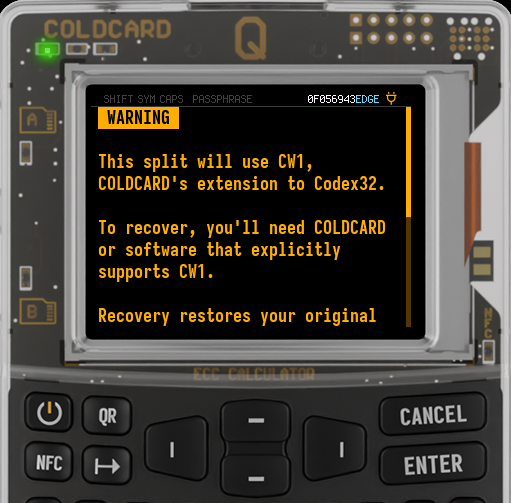
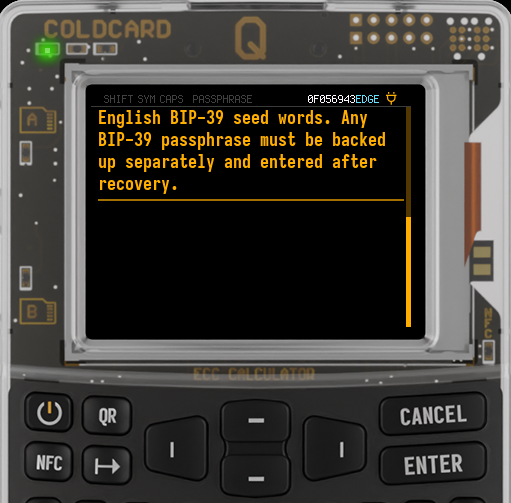
CW1 encodes the entropy behind your English BIP-39 words. Recovery restores the original seed words, which you can check using View Secret. The recovered wallet supports the usual seed-word features, including Export SeedQR and Seed XOR.
| Seed words | Secret data | Characters per share | Displayed groups |
|---|---|---|---|
| 12 | 128 bits | 48 | 12 |
| 18 | 192 bits | 61 | 16 |
| 24 | 256 bits | 74 | 19 |
These examples show shares from a 12-word wallet (48 characters) and a 24-word wallet (74 characters):
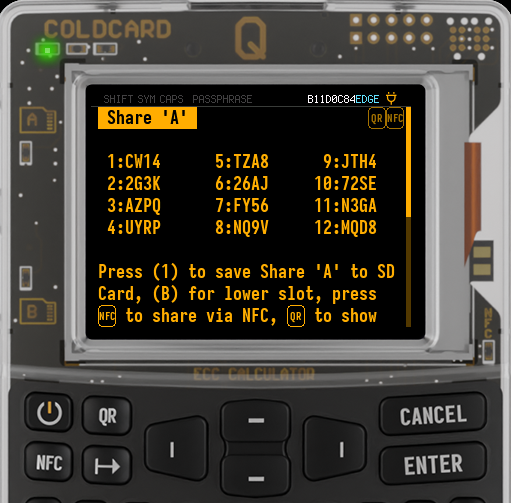
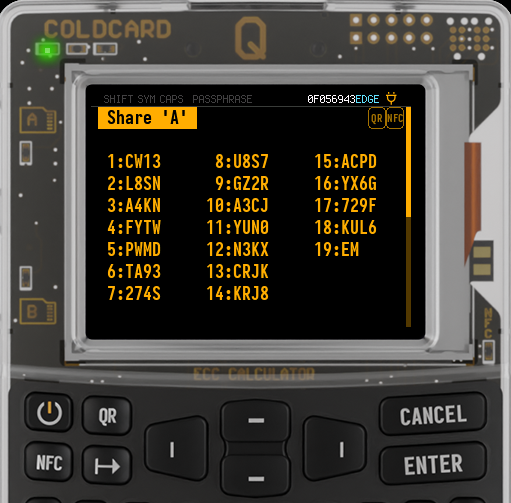
Any BIP-39 passphrase must be backed up separately and entered after recovery. The recovered words can still be used with any of their passphrases. When testing recovery of a passphrase wallet, apply its passphrase before comparing the fingerprint and known receive address.
Splitting an Extended-Key Wallet#
With an extended private key active, Shamir Split displays a CX1 notice. Read and confirm it, then follow the split steps above.
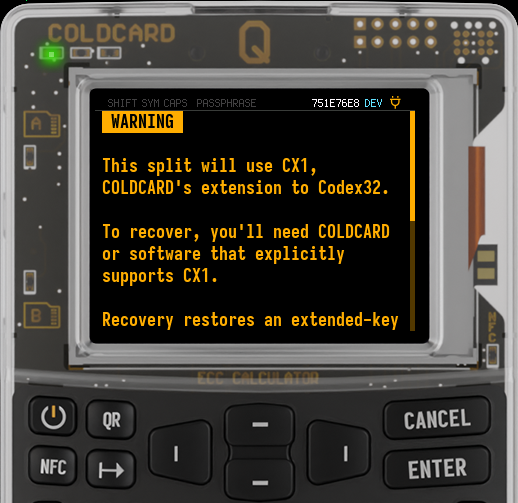
Each share carries 512 bits of key material and is 127 characters long, displayed as 32 numbered groups.
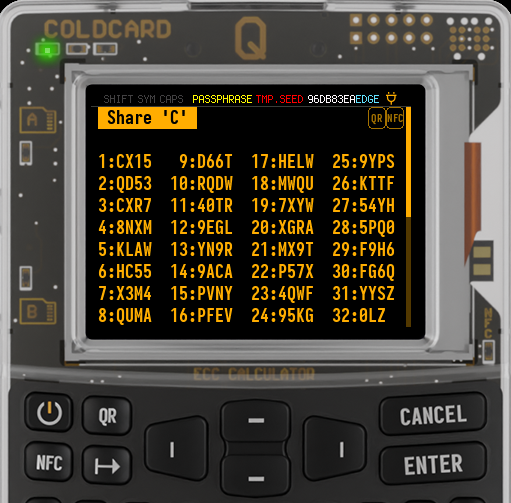
CX1 preserves the chain code and private key, but not the XPRV's network, depth, parent fingerprint, child number, or address-type metadata. Recovery treats the key as a new root. Keep the wallet's network, address type, and derivation path so you can reproduce its addresses. For multisig, also retain the wallet configuration or descriptor.
A recovered CX1 wallet is not word-based, so Export SeedQR and Seed XOR > Split Existing are unavailable. A valid checksum does not guarantee a usable private key; recheck the source secret or share set if import or recovery rejects the key.
Importing and Recovering CW1 and CX1#
Use Import Codex32 for a complete secret with index S. Use Shamir Recover for a threshold number of shares from the same set. Their prefix, ID, threshold, and length must match. The text-file rules also apply.
| Starting secret | Backup | After recovery |
|---|---|---|
| English BIP-39 seed words | CW1 shares |
The same seed words, usable normally with BIP-39 passphrases. |
| Extended private-key material | CX1 shares |
The same chain code and private key. |
| BIP-32 master-seed bytes | MS1 shares |
The same master-seed bytes. |
After recovery, COLDCARD stores the wallet secret without the share-set ID, threshold, or padding. To reproduce or extend the original set, keep a threshold number of its shares and use Derive Shares. Splitting the recovered wallet again creates a new set that recovers the same secret. Shares from the two sets cannot be mixed.
Test recovery against your recorded fingerprint and receive address before relying on the shares.
BIP-39 Passphrase Wallets#
If a BIP-39 passphrase wallet is active when you split, COLDCARD uses CX1. Its effect is already included in the chain code and private key. Check the on-screen warning to confirm which wallet you are splitting.
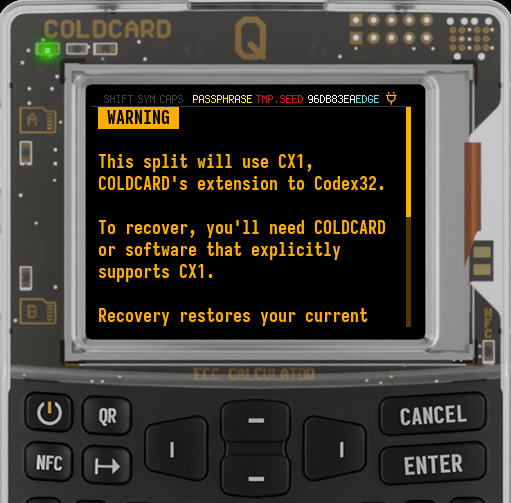
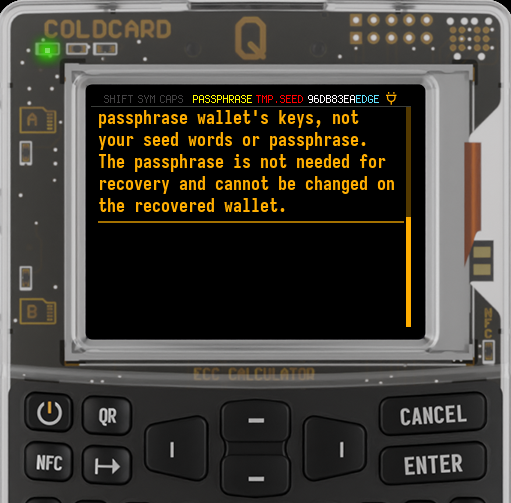
A threshold number of those shares recovers the passphrase wallet directly, without asking for the passphrase. The shares cannot recover the original words or passphrase.
BIP-39 passphrases apply to seed words. You cannot apply one to a recovered CX1 wallet. To back up your original words instead, return to or reload the words wallet before splitting; that uses CW1. Keep the original words and exact passphrase if you also want to retain that BIP-39 recovery method.